
To change your nominated bank accounts, follow these steps once logged in to your account:
1) Before you begin, you will need to download a bank statement or proof of account PDF through your online banking.
2) Log into your InvestNow account.
3) Select “Investor Profiles” in the top right corner if you are on a desktop. For mobile devices, click the “1 investor and 1 portfolio” tab and then click “Investor Profiles”.

4) Click “View Profile” next to the account you are wanting to add a bank account to.
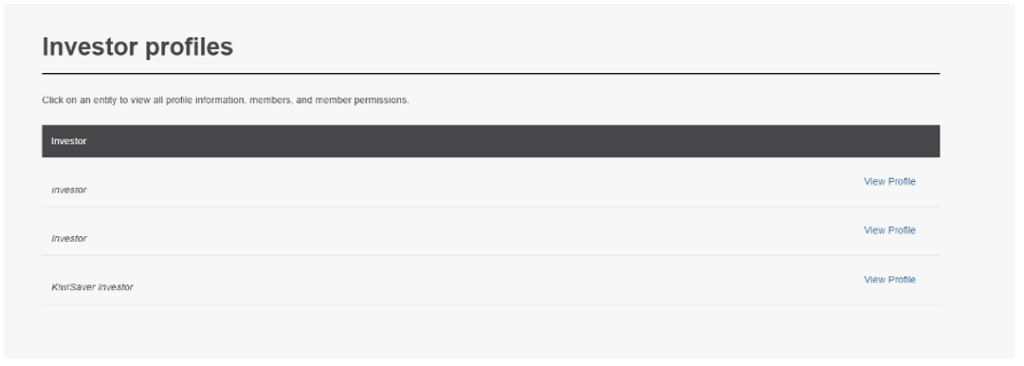
5) Click “Bank accounts”
6) Click “Add another bank account”
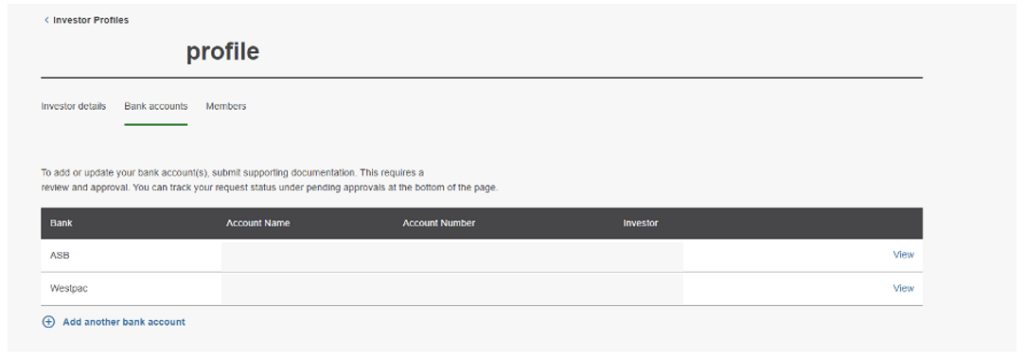
7) Enter in the bank account details and upload evidence of your bank account.
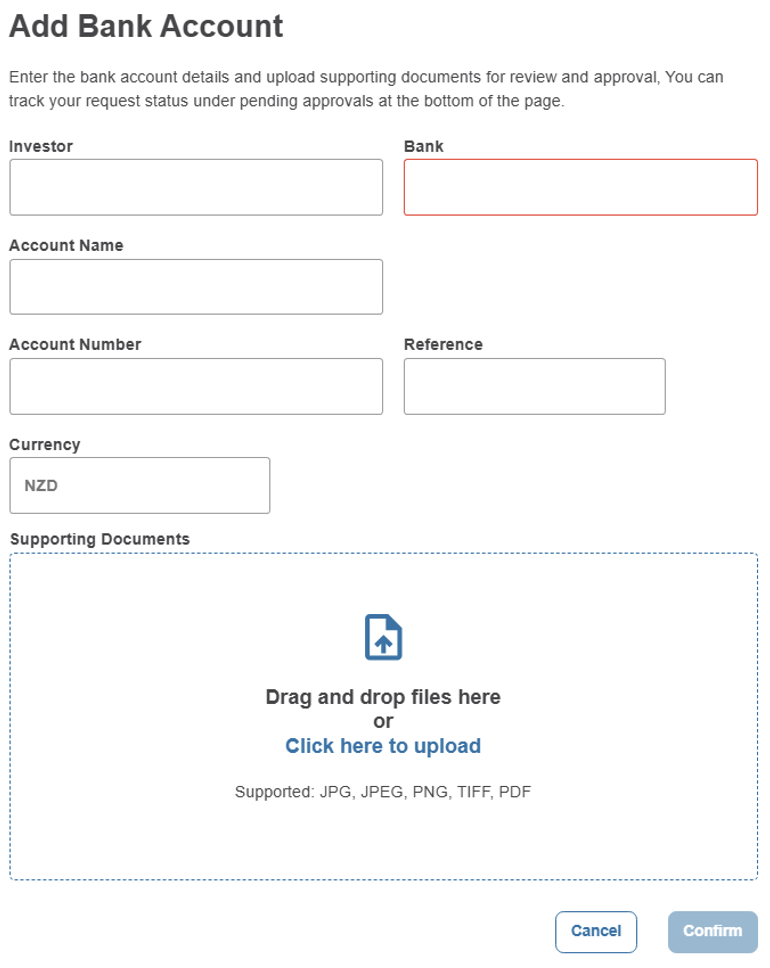
8) We will receive your request above, and if we have any questions we will contact you, otherwise you can expect to have this new account linked within a couple of business days.